
MALWARE & BACKDOORS
WordPress Malware Removal: What Does It Cost?
WordPress malware removal prices vary depending on the infection, recovery scope, and service provider. Learn how one-off cleanup compares with security subscriptions, what affects costs, and what to check before paying for professional recovery.
WordPress Malware Removal: What Does It Cost?
Discovering malware on your WordPress website can be stressful, especially when your business depends on that website for customers, enquiries or online sales.
Once you've identified a possible compromise, one of your first questions is likely to be:
How much will it cost to remove the malware and get my website working safely again?
The answer depends on the type of infection, the affected systems, and the recovery service you choose.
Some providers offer one-time malware removal for a fixed fee. Others include malware cleanup within annual website security subscriptions. More complicated incidents may require a custom quotation.
Understanding these differences can help you avoid paying for services you don't need — or purchasing a cleanup service that doesn't address your actual problem.
How Much Does WordPress Malware Removal Cost?
Professional WordPress malware removal is available through several pricing models.
Some providers charge a one-time fee to investigate and clean an existing infection. Others offer recurring security plans that may include malware scanning, ongoing monitoring, prevention tools and incident response.
There is no universal price for every WordPress malware infection.
For example, the following services advertised these prices on 11 November 2026:
| Provider | Advertised price | Service model |
|---|---|---|
| FixRunner | $95 | One-off malware removal |
| SiteLock 911 | $199 | One-off emergency cleanup |
| Sucuri Basic Platform | $229/year | Annual security subscription |
| MalCare Repair | $299/year | Annual security subscription with cleanup |
| Wordfence Care | $590/year | Managed WordPress security subscription |
Prices were checked against official provider information on 11 November 2026. Advertised prices, promotions, taxes, checkout totals and service conditions may change.
These services should not be considered identical simply because they address WordPress security.
Some include ongoing monitoring, firewall protection, security management or specific response commitments.
Others focus primarily on resolving an existing incident.
The most useful comparison is not simply which service costs less, but what work is included in the price.
For comparison, SecureMyWP offers Standard WordPress Incident Recovery for US$199 once-off, covering one qualifying WordPress installation after human scope review and written confirmation.
No mandatory subscription is required.
What Affects the Cost of WordPress Malware Removal?
The amount of work involved in recovering a compromised WordPress website depends on several factors.
1. Number of affected WordPress installations
A website owner may operate several WordPress installations under one hosting account.
For example, a business could have a main website, a separate online store and a development installation.
If malware affects more than one installation, the investigation and remediation requirements may increase.
WordPress Multisite environments can also require different handling from independent WordPress installations.
One domain name does not necessarily mean one WordPress installation.
When comparing providers, confirm exactly which installations are included in the quoted price.
2. Type of malware or compromise
Different incidents can involve different technical problems.
Examples include malicious redirects, injected JavaScript, SEO spam, unauthorised administrator accounts, modified WordPress files and hidden backdoors.
A backdoor is a malicious method of retaining unauthorised access to a website or system.
Some infections may affect a relatively limited number of components. Others may involve multiple files, database records or compromised credentials.
However, the visible symptom does not always reveal the true complexity of the incident.
A website that displays one suspicious redirect may still require a broader investigation.
3. Hosting or server involvement
There is an important difference between malware affecting a WordPress installation and a compromise involving the underlying hosting environment.
WordPress-level recovery might involve investigating plugins, themes, core files, database content and user accounts.
A broader hosting compromise may require work involving server configuration, system-level access or other websites sharing the infrastructure.
That additional work may fall outside a standard WordPress cleanup service.
4. Availability of reliable backups
A known-clean backup can sometimes simplify recovery.
However, restoring a backup does not automatically resolve the problem.
The backup may already contain malware, or the original security vulnerability may still exist.
A responsible recovery process should consider whether the backup is trustworthy and whether the weakness that allowed the compromise has been addressed.
5. Business-critical website functionality
A simple informational website may have different recovery requirements from an online store or membership platform.
WooCommerce websites, customer portals, payment integrations and heavily customised installations may require additional testing.
The objective is not merely to remove suspicious code.
Important website functions must continue working safely after remediation.
Depending on the incident, specialist development, data restoration or additional investigation may be necessary.
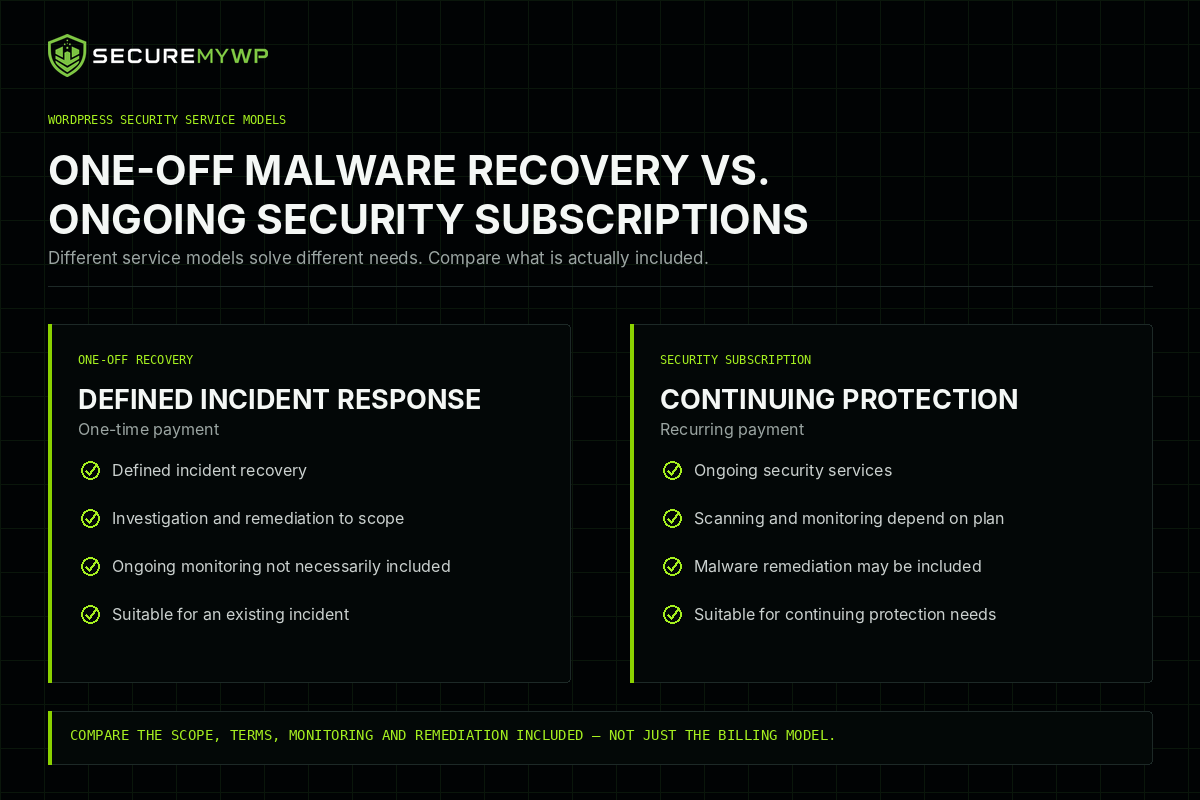
One-Off Malware Removal vs. Security Subscriptions
One of the most important decisions is whether you need help with an existing infection, ongoing protection, or both.
These are related but different services.
One-off WordPress malware removal
A one-off recovery service is generally designed to address an existing compromise.
The provider investigates the affected website and performs the work agreed in the recovery scope.
Payment is usually made once for that engagement.
Depending on the provider, the service may also include security hardening, post-cleanup testing, a written report or limited aftercare.
However, ongoing monitoring and maintenance are not necessarily included.
Subscription-based WordPress security
Security subscriptions are designed to provide services over a recurring period.
Depending on the plan, these services may include malware scanning, firewall protection, vulnerability monitoring, security alerts, automated malware removal, professional incident response or ongoing security management.
Some subscriptions include hands-on cleanup of an already infected website.
Others focus primarily on detecting threats or preventing future attacks.
Purchasing a security subscription does not automatically mean professional malware removal is included.
For example, MalCare distinguishes between its Protect plan, which does not include malware cleanup, and its Repair plan, which includes automated cleanup.
Understanding the specific plan is essential.
Comparing the two models
| Consideration | One-off recovery | Security subscription |
|---|---|---|
| Primary purpose | Address a defined incident | Provide ongoing security services |
| Payment | Usually one-time | Recurring |
| Malware removal | Depends on agreed scope | Depends on selected plan |
| Ongoing scanning | Not necessarily included | Often included |
| Security monitoring | Usually separate | Depends on plan |
| Long-term maintenance | Usually separate | May be included |
| Professional incident response | Depends on provider | Depends on plan |
Neither model is automatically better.
A business that already has suitable security monitoring may only need professional assistance with a particular compromise.
Another business may prefer an ongoing security service that combines monitoring, prevention and recovery.
The appropriate choice depends on the website's condition, existing protection and ongoing requirements.
SecureMyWP's Standard Incident Recovery is a one-off service without a required subscription.
You can review the current service pricing on our Pricing page.
Automated Malware Removal vs. Professional Incident Response
Malware removal services can also differ in how they investigate and resolve infections.
Automated malware scanning
Automated scanners can help identify known malware signatures, suspicious files, vulnerabilities and other indicators of compromise.
These tools are valuable because they can examine website components systematically and identify problems that may not be obvious to an administrator.
However, detection capabilities vary between products.
A clean scan does not necessarily establish that every malicious component or security weakness has been identified.
Automated malware removal
Some security products can automatically remove or repair recognised threats.
Depending on the product and the infection, automated remediation may be effective and efficient.
It would be incorrect to suggest that automated tools are inherently incapable of resolving complicated infections.
The important question is whether the tool's capabilities match the actual compromise.
Human-led incident investigation
Professional incident response may involve examining suspicious behaviour, reviewing relevant website files and database content, investigating unauthorised access, and determining which changes require remediation.
Human investigation can also help interpret findings that automated tools identify.
For example, an unusual file modification may be legitimate, malicious or the result of an earlier development change.
Understanding the surrounding evidence can help determine the correct response.
Human investigators also have limitations. Missing logs, unavailable backups or incomplete evidence may prevent them from establishing exactly how an attack occurred.
Why post-cleanup verification matters
Regardless of whether malware is removed automatically or manually, verification remains important.
A website should be checked for remaining suspicious behaviour and relevant functionality problems.
Where the evidence permits, the likely infection route should also be investigated.
Removing detected malware and establishing that the wider incident has been adequately addressed are not necessarily the same thing.
What Might Not Be Included in a Malware Removal Quote?
A low advertised price is not necessarily misleading.
It may simply describe a more limited service.
Likewise, a higher-priced service may include capabilities that another provider charges for separately.
Before purchasing malware removal, clarify whether the quotation includes:
- Additional WordPress installations.
- Hosting or server-level remediation.
- Complex database or business-data restoration.
- Custom software repairs.
- Paid replacement plugins or themes.
- Third-party hosting charges.
- Extensive forensic investigation.
- Google security warning assistance.
- Ongoing malware monitoring.
- Future reinfection assistance.
- Guaranteed emergency response.
Not every incident requires these services.
Some providers include particular activities within their standard packages, while others offer them separately.
For example, FixRunner advertises Google warning assistance as an additional paid service alongside its standard malware removal offer.
The important principle is simple:
Understand the complete service scope and any potential additional charges before agreeing to pay.
A clear written quotation should identify the affected website, included work, exclusions, payment conditions and any relevant limitations.
Questions to Ask Before Paying for WordPress Malware Removal
Before purchasing a recovery service, consider asking the provider:
- Does the quoted price cover my entire affected WordPress installation?
- Will you investigate both website files and database content?
- Will you review suspected backdoors and unauthorised administrator accounts?
- Will you investigate how the compromise may have happened?
- Are vulnerable plugins and themes assessed?
- Is assistance with Google security warnings or blocklists included?
- Will I receive a written summary or incident report?
- What happens if my website becomes infected again?
- Are there additional charges or service exclusions?
- What happens if the agreed work cannot be completed?
- When is payment required?
- Are any response or completion times guaranteed?
These questions can help you compare providers fairly.
They are equally relevant when evaluating SecureMyWP or any other WordPress security company.
SecureMyWP WordPress Incident Recovery — $199 Once-Off
SecureMyWP provides human-led WordPress Incident Recovery for website owners dealing with suspected or confirmed compromises.
Our standard service is:
US$199 once-off for one qualifying WordPress installation.
There is no mandatory subscription.
Before requesting payment, we review the reported incident and confirm the applicable scope in writing.
What does Standard Incident Recovery include?
Subject to the agreed scope and technical circumstances, the service ordinarily includes:
- Human-led investigation of the reported compromise.
- Relevant WordPress file and database inspection.
- Investigation of identified malware and backdoors.
- Review of suspicious administrator accounts.
- WordPress core integrity checks.
- Plugin and theme integrity review.
- Removal or remediation of identified malicious changes.
- Appropriate WordPress-level security hardening.
- Assessment of the likely entry point where evidence permits.
- Relevant Google or blocklist assistance where applicable.
- Functional checks and reasonable verification.
- A written SecureMyWP Incident Report.
A backup or restore point is sought before changes wherever technically possible.
The objective is to address the agreed incident and document the findings, actions performed and material outstanding risks.
What if my website requires more complicated recovery?
The standard price applies to one qualifying WordPress installation.
Incidents involving multiple installations, server-level compromise, extensive custom-code repairs, major data restoration or unusually complex environments may require a separate quotation.
If additional paid work is necessary, the proposed scope and price must be accepted in writing.
How does payment work?
The standard process begins with an enquiry and human scope review.
After the scope and price have been confirmed, the customer reviews and accepts the applicable agreement.
Payment is then arranged, followed by separate authorisation for technical access and remediation.
International customers normally pay in USD through an approved PayPal payment arrangement.
South African customers receive a ZAR-denominated EFT invoice with the final amount disclosed before acceptance.
There is currently no automated checkout.
Standard Recovery does not include a guaranteed initial-response or completion-time service level agreement.
Need Professional WordPress Malware Removal?
If your WordPress website has been compromised, SecureMyWP can review your incident and determine whether it qualifies for Standard Recovery.
WordPress Incident Recovery — US$199 once-off, subject to scope confirmation.
Start Incident Recovery through our Get Help page.
What Happens If the Website Gets Hacked Again?
Reinfection policies are another important consideration when comparing malware removal providers.
Some companies offer limited reinfection warranties. Others include ongoing cleanup through a subscription.
These arrangements are not interchangeable.
A reinfection warranty generally provides a defined remedy under specified conditions.
It should not be confused with unlimited maintenance, continuous monitoring or permanent protection.
SecureMyWP's Conditional 30-Day Re-Clean Warranty
Qualifying SecureMyWP Standard Recovery engagements include a Conditional 30-Day Re-Clean Warranty.
If the same covered WordPress installation is reinfected within 30 consecutive calendar days following documented completion, qualifying re-clean labour is provided without an additional charge, subject to the warranty conditions.
The warranty covers the specified installation and agreed recovery scope.
It does not automatically extend to unrelated websites, broader hosting infrastructure, external service charges or unlimited future maintenance.
Claims must be reported within the applicable warranty period.
Customers should review the complete Warranty Conditions before purchasing.
What about cancellations and refunds?
SecureMyWP allows unpaid enquiries to be withdrawn without charge.
Under its voluntary commercial policy, cancellation after payment but before substantive paid work begins qualifies for a full refund of the undelivered engagement.
After paid work begins, cancellation and refund outcomes depend on the accepted agreement, work actually performed, fairness and applicable law.
Customers retain their applicable statutory rights.
Full details are available in SecureMyWP's Terms of Service, Refund and Cancellation Policy, and Warranty Conditions.
Frequently Asked Questions
How much does it cost to remove malware from WordPress?
The cost depends on the service provider, affected installations and required recovery work.
Advertised examples verified in November 2026 include one-off services priced at $95 and $199, alongside annual security plans costing several hundred dollars.
There is no single price that applies to every WordPress compromise.
Can I remove WordPress malware myself?
Yes, some technically experienced website owners can investigate and remediate certain infections.
However, inappropriate file or database modifications may damage the website or leave malicious components behind.
If you are unfamiliar with WordPress files, databases and hosting security, professional assistance may be appropriate.
Is a WordPress malware scanner enough?
A scanner can identify potential threats, but detection alone does not necessarily mean an infection has been removed.
Some security products also provide automated remediation.
The relevant question is whether the identified problems have been addressed and the recovery has been appropriately verified.
Is one-time malware removal better than a security subscription?
Neither option is universally better.
One-off recovery may suit a defined incident, while subscriptions may provide continuing security services.
Compare the actual scope, costs and ongoing requirements before deciding.
Does malware removal include fixing Google security warnings?
It depends on the provider.
Some services include assistance with Google Search Console security issues or blocklist reviews, while others charge separately.
Removing malware does not automatically guarantee that Google will immediately remove warnings or restore previous search visibility.
What happens if my website becomes infected again?
Review the provider's warranty and aftercare conditions.
Some offer limited re-clean assistance, while others provide ongoing remediation through a subscription.
Coverage periods, exclusions and claim requirements can differ.
Does SecureMyWP charge monthly fees?
No mandatory monthly subscription is required for SecureMyWP Standard WordPress Incident Recovery.
The standard service is US$199 once-off for one qualifying WordPress installation, subject to written scope confirmation.
Final Thoughts
The cost of WordPress malware removal depends on more than the advertised price.
A useful comparison considers the affected installation, the nature of the compromise, the investigation performed, the remediation scope and the verification provided afterwards.
It should also account for payment conditions, additional services, response commitments and any applicable warranty.
A one-off cleanup may meet your immediate needs. Alternatively, an ongoing security subscription may be appropriate if you require continuing monitoring and protection.
The right decision depends on your website and your business requirements.
If your WordPress website has been compromised and you need professional assistance, explore SecureMyWP's WordPress Incident Recovery service or submit an enquiry for a scope review.
SecureMyWP — WordPress Security & Incident Recovery